
POS system for Saudi restaurants, cafés and buffets
Sell faster with a POS that keeps the kitchen in sync and stays ZATCA-compliant.
One system for the counter, the kitchen and the back office. Works in Arabic and English, keeps selling when the internet drops, and issues ZATCA Phase 2 e-invoices for every sale.
- No card needed
- Arabic & English
- Works offline
- ZATCA Phase 2Reporting, clearance and a QR code on every receipt
- Arabic & EnglishEvery screen, receipt and report, in both
- Works offlineKeeps selling and syncs when the connection is back
- Kitchen-readyPrinters per station and a live kitchen screen
Product tour
One system from the counter to the back office
Real screens from a demo café: the same system you get on day one.
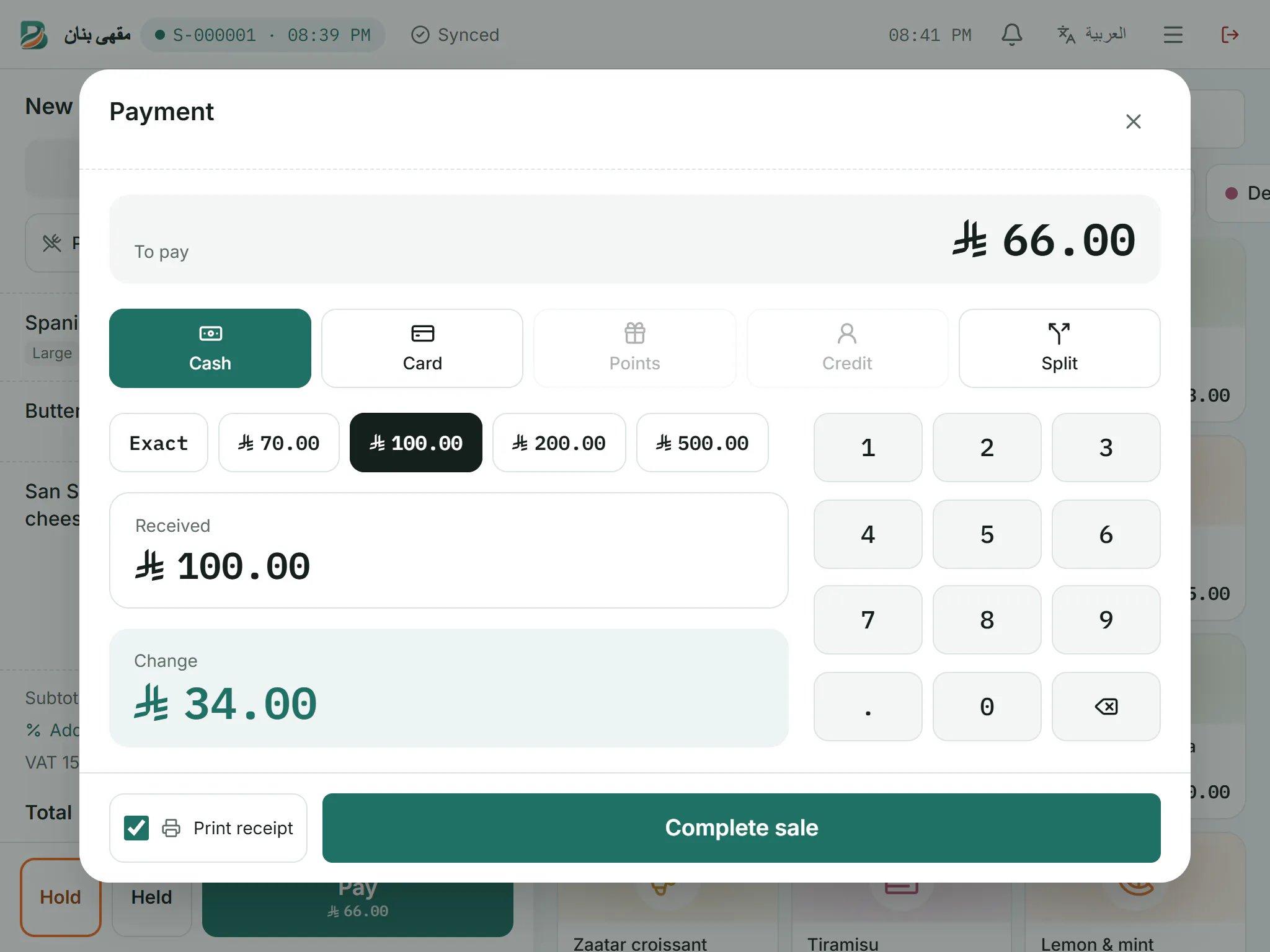
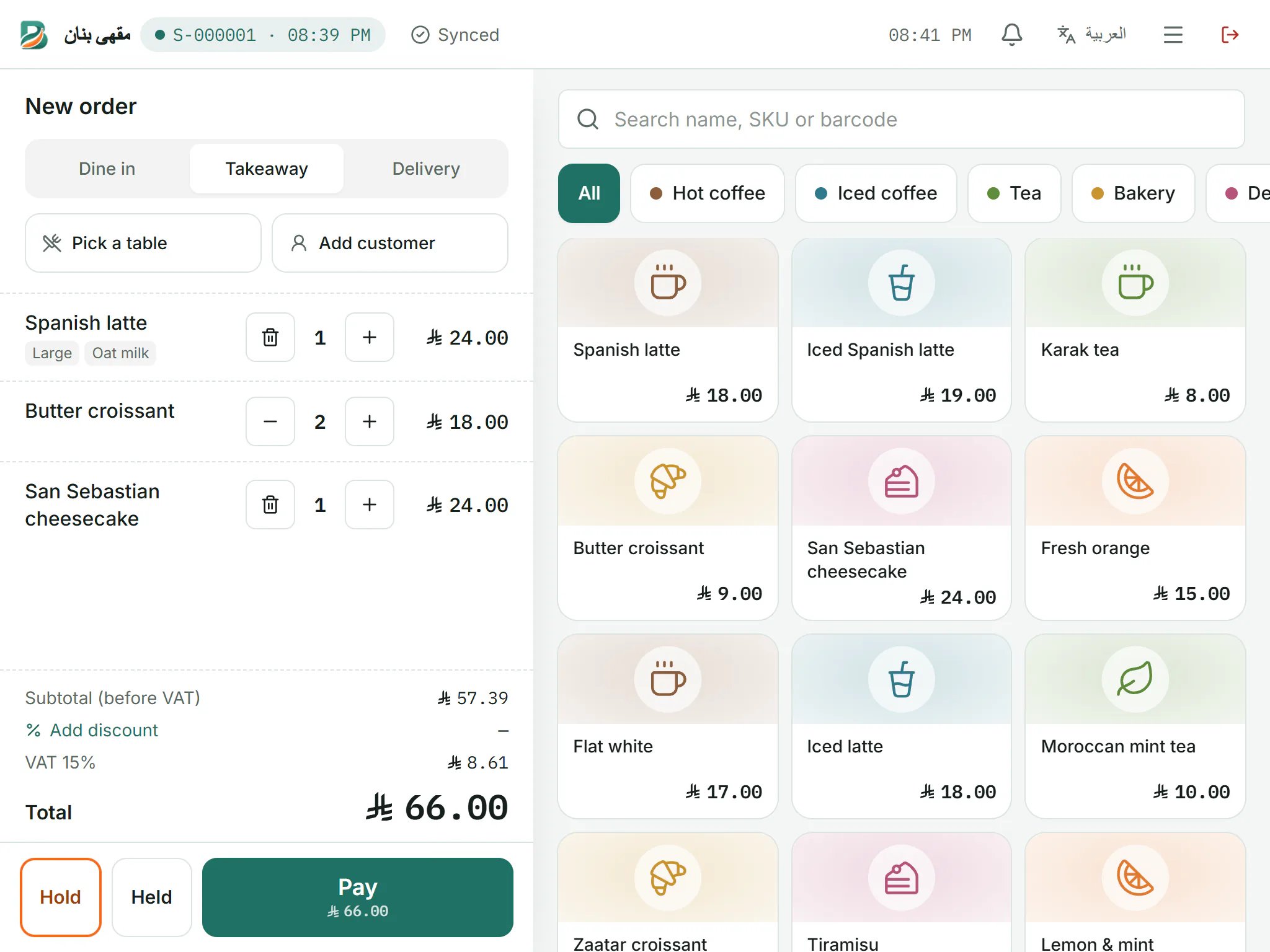
Point of sale
A checkout built for the rush
Big touch targets, modifiers and quick search keep the queue moving. Take cash, card, loyalty points or customer credit, alone or split.
- Dine-in, takeaway and delivery orders
- Hold an order and pick it up later
- Keeps selling when the internet drops
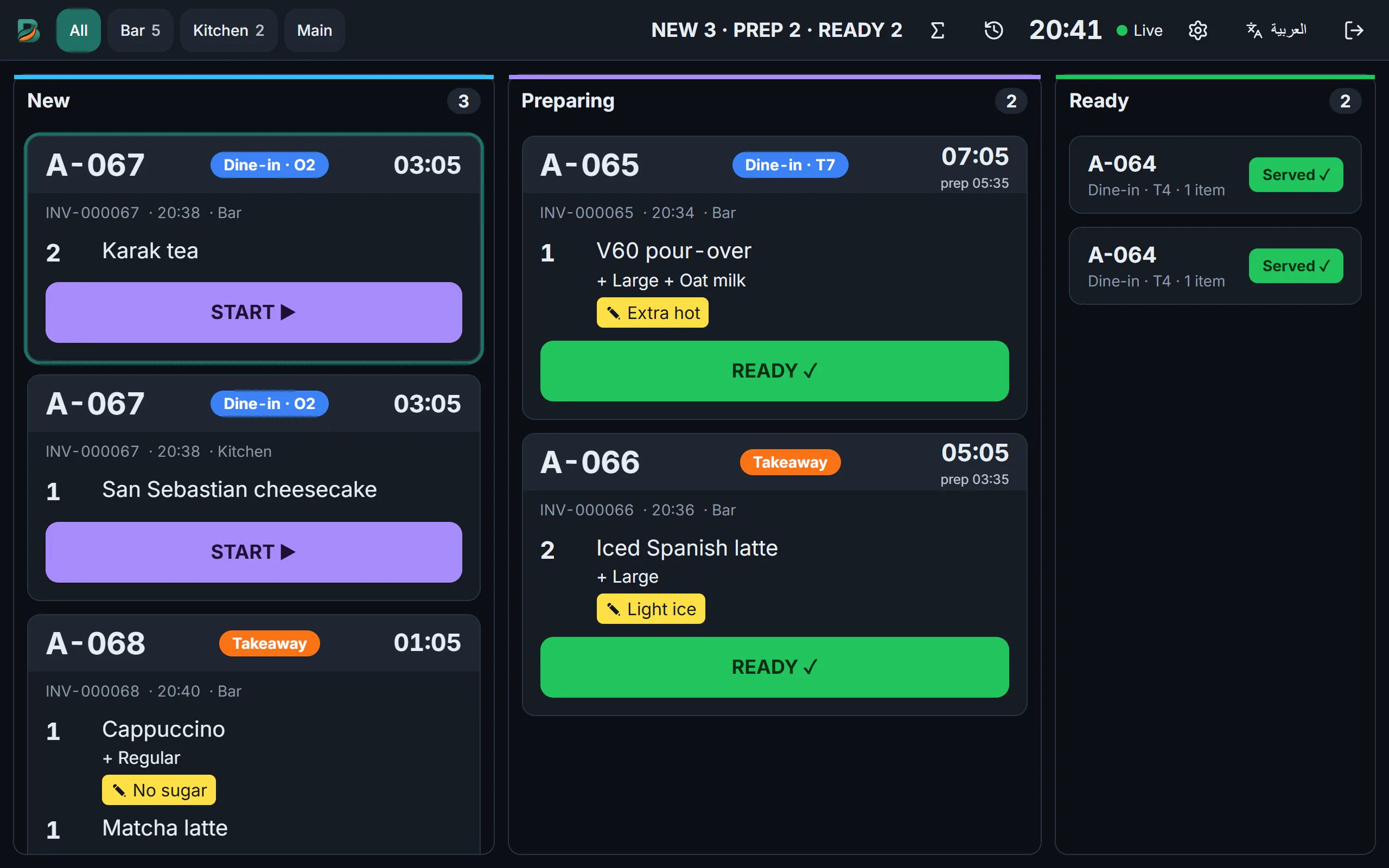
Kitchen
Every order reaches the right station
Paid orders go straight to the station's printer or to the kitchen screen. Cooks see what is new, what is cooking and what is ready, with notes and timers.
- Tickets per station on thermal printers
- Live kitchen screen: new, preparing, ready
- Voided items flagged so nothing is cooked by mistake
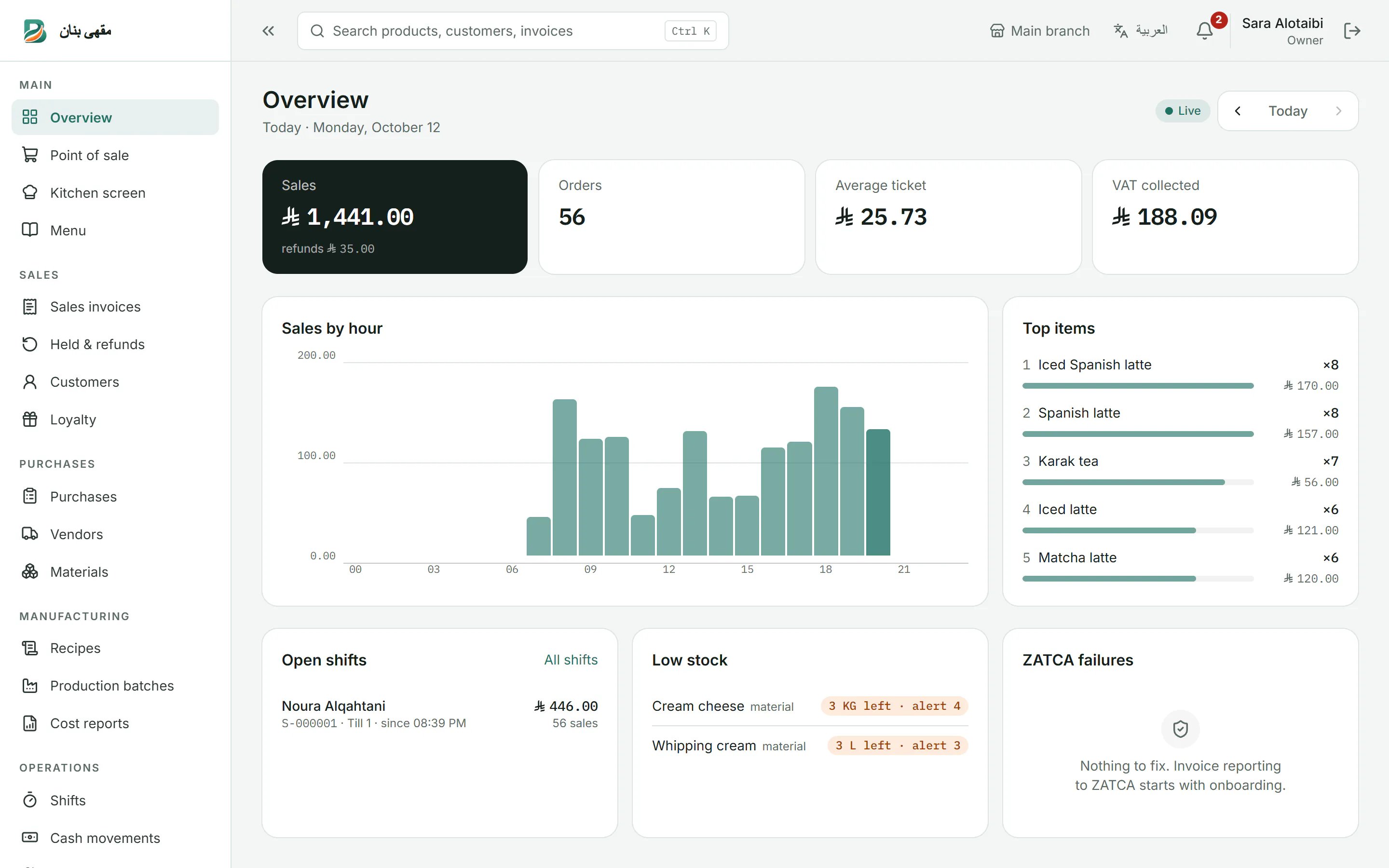
Dashboard
Know how today is going, live
Sales, orders, average ticket and VAT at a glance, with sales by hour, top items, open shifts and low-stock alerts on one screen.
- Live overview for today or any day
- Shifts with cash custody and Z-reports
- Cost and profit reports
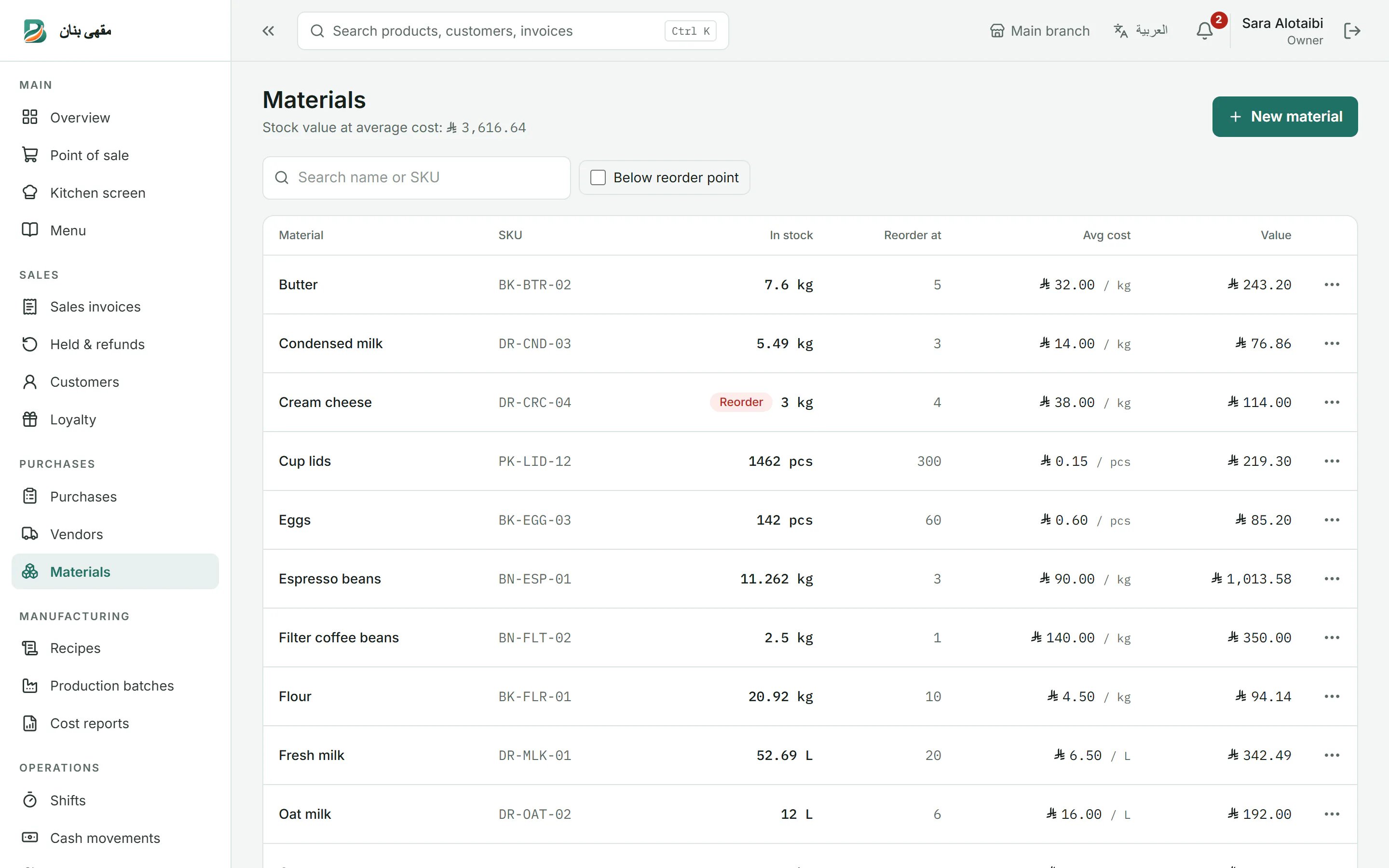
Inventory & costs
See what every item really costs
Track materials and stock, build recipes and production batches, and record purchases from vendors. Stock is valued at average cost.
- Reorder points and low-stock alerts
- Recipes and manufacturing with batches
- Purchases, vendors and cost reports
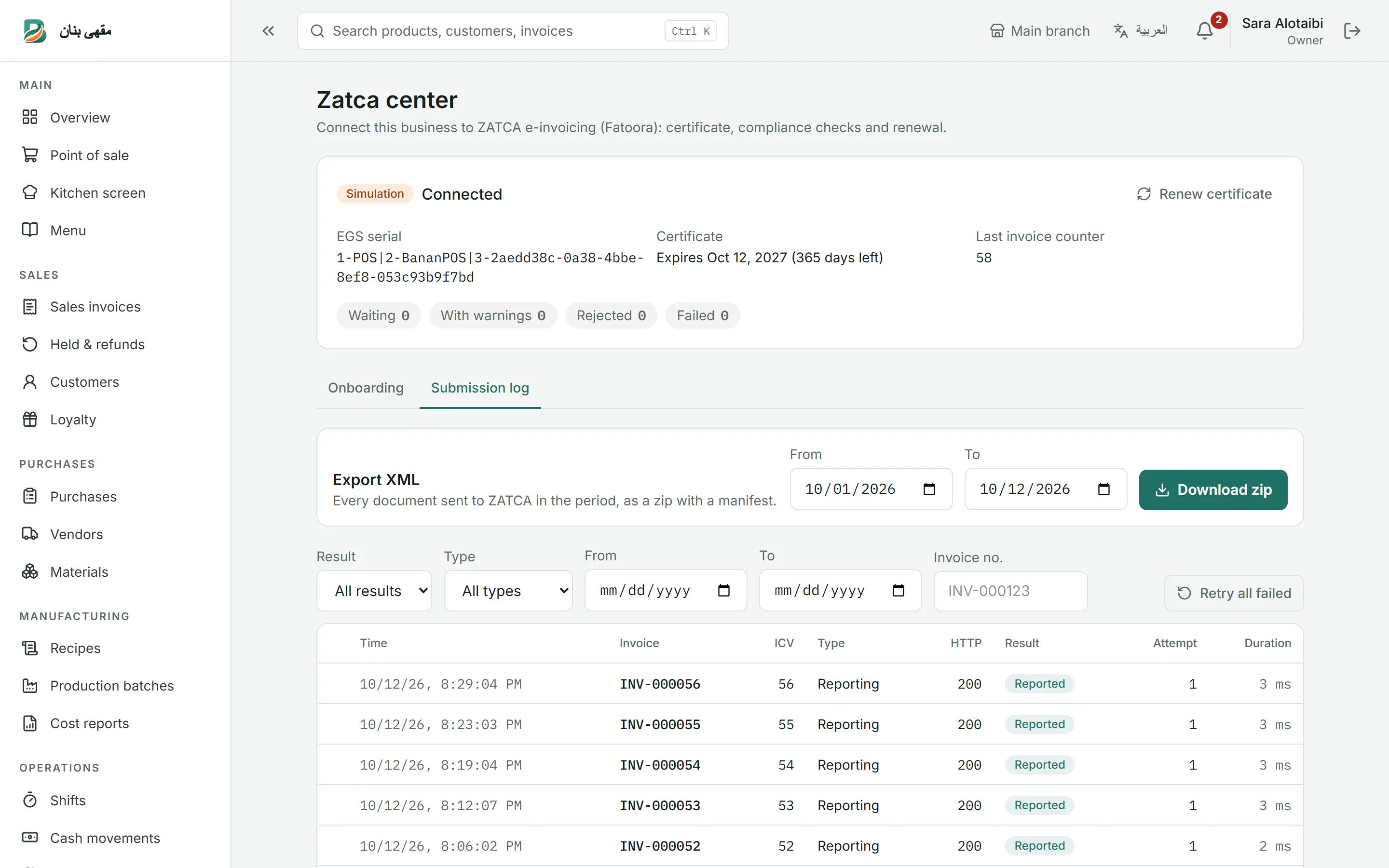
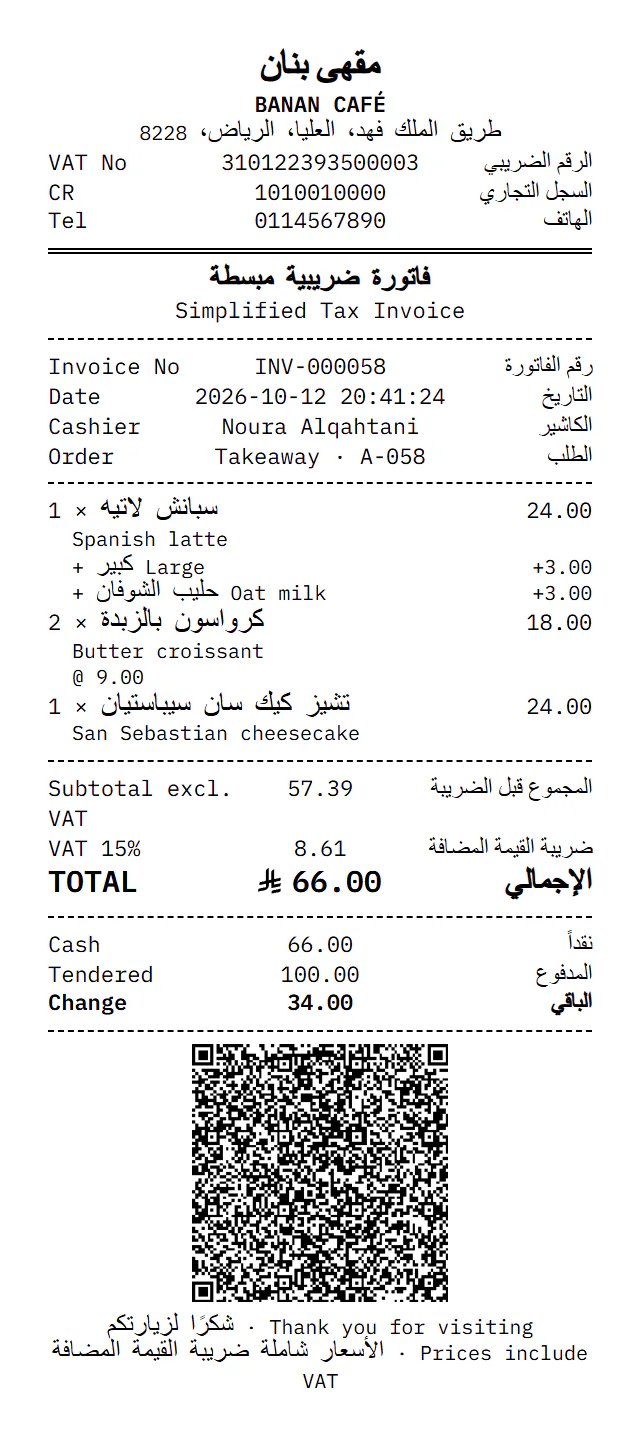
ZATCA e-invoicing
Phase 2 e-invoicing on every sale
Each invoice and credit note is signed, carries its QR code and is reported or cleared with ZATCA. The ZATCA center shows every submission and its result.
- Device onboarding with the Fatoora one-time code
- Reporting for B2C, clearance for B2B
- Bilingual receipts with the QR code
How to get started
Create your account
Enter your business name and mobile number, then confirm with the code we text you. Your 7-day trial starts at once.
Set up your menu
Add your products and prices, connect your printers and onboard ZATCA e-invoicing from the dashboard.
Start selling
Add your staff with their employee IDs, open the first shift and take your first order, even offline.
One system for every kind of business
Restaurants, cafés and buffets sell differently, and Banan Soft fits each of them.
Restaurant POS system with ZATCA e-invoicing
From the table to the kitchen to the invoice: orders reach their station at once, stock is deducted with every dish and invoices are ZATCA-compliant automatically.
Learn moreCafé POS system with loyalty points
Pick the drink, size and milk in two taps, print the barista’s ticket and reward regulars with points they redeem at the till.
Learn morePOS system for buffets and cafeterias
Sandwiches, juices, drinks and packaged snacks on one screen: sell with a tap or a barcode, stock deducted by the piece, and a ZATCA-compliant invoice.
Learn more
Pricing
Simple pricing, every feature included
Pay per branch, monthly or yearly. Every plan includes all features, Arabic and English, and ZATCA e-invoicing.
Prices are in Saudi riyals and exclude 15% VAT. Every new business starts with a 7-day free trial — no card needed.
Starter
SAR 40.00
per branch / month
Advanced
SAR 60.00
per branch / month
Starter
SAR 400.00
per branch / year
Advanced
SAR 600.00
per branch / year
Frequently asked questions
Does Banan Soft work without internet?
Yes. The cashier screen keeps taking orders when the connection drops. Sales are stored on the device and sent automatically, in order, when the connection is back.
Does it support ZATCA e-invoicing (Fatoora) Phase 2?
Yes. You onboard your device with the one-time code from the Fatoora portal; after that every simplified invoice is reported and every standard (B2B) invoice is cleared with ZATCA, with the QR code printed on the receipt.
What hardware do I need?
Any modern browser on a Windows PC, tablet or POS terminal. Receipts and kitchen tickets print on thermal printers through the browser or the free Banan Print Agent.
Is the system in Arabic?
Yes. Every screen, receipt and report is available in Arabic and English, and each user can switch language at any time.
How do I sign up?
Start your free trial on the sign-up page: enter your business name, your mobile number and a password, confirm with the SMS code, and your business is ready. Prefer to talk first? Request a call from the contact page.
Ready to see it at your counter?
Create your account in two minutes with just your mobile number. No card needed.
- No card needed
- Arabic & English
- Works offline