
Point of sale · Kitchen · Back office
POS features for restaurants, cafés and buffets
From the first order of the day to the closing Z-report, every part of the counter, the kitchen and the back office works together.
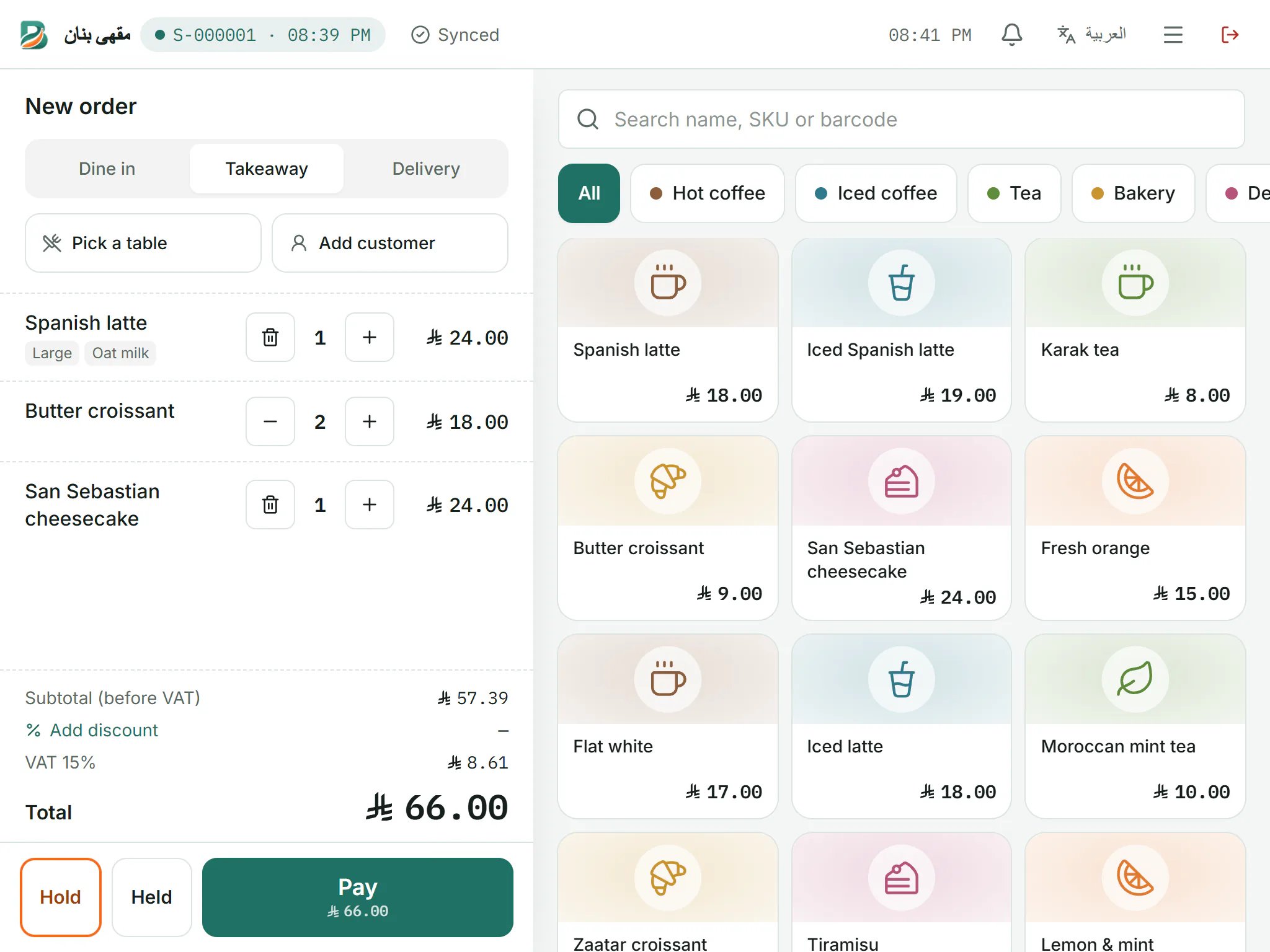
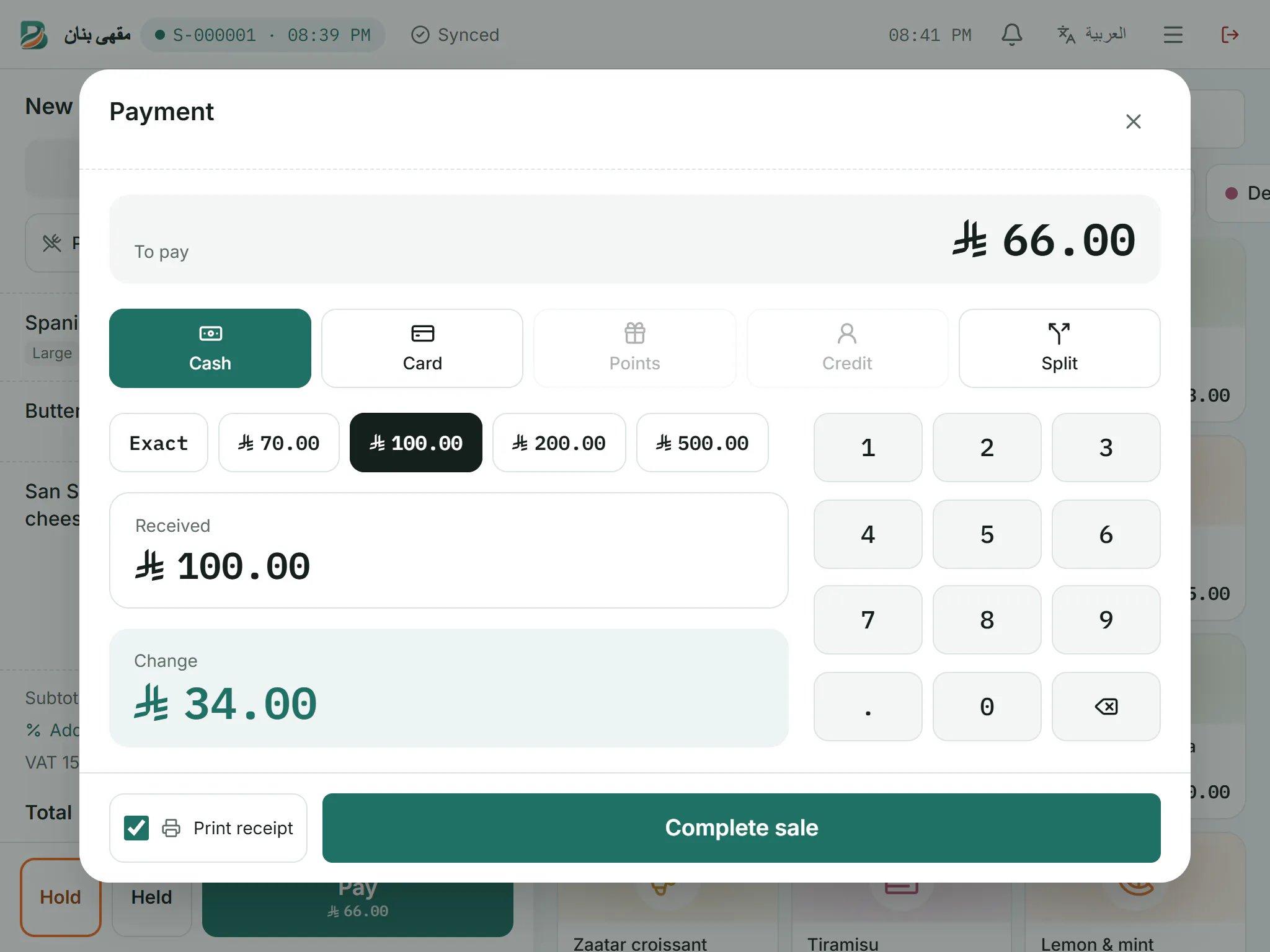
Point of sale
A cashier screen designed for touch and for speed.
- Categories, modifiers and quick search
- Discounts, refunds and voids with manager approval
- Cash, card, loyalty points and customer credit, alone or split
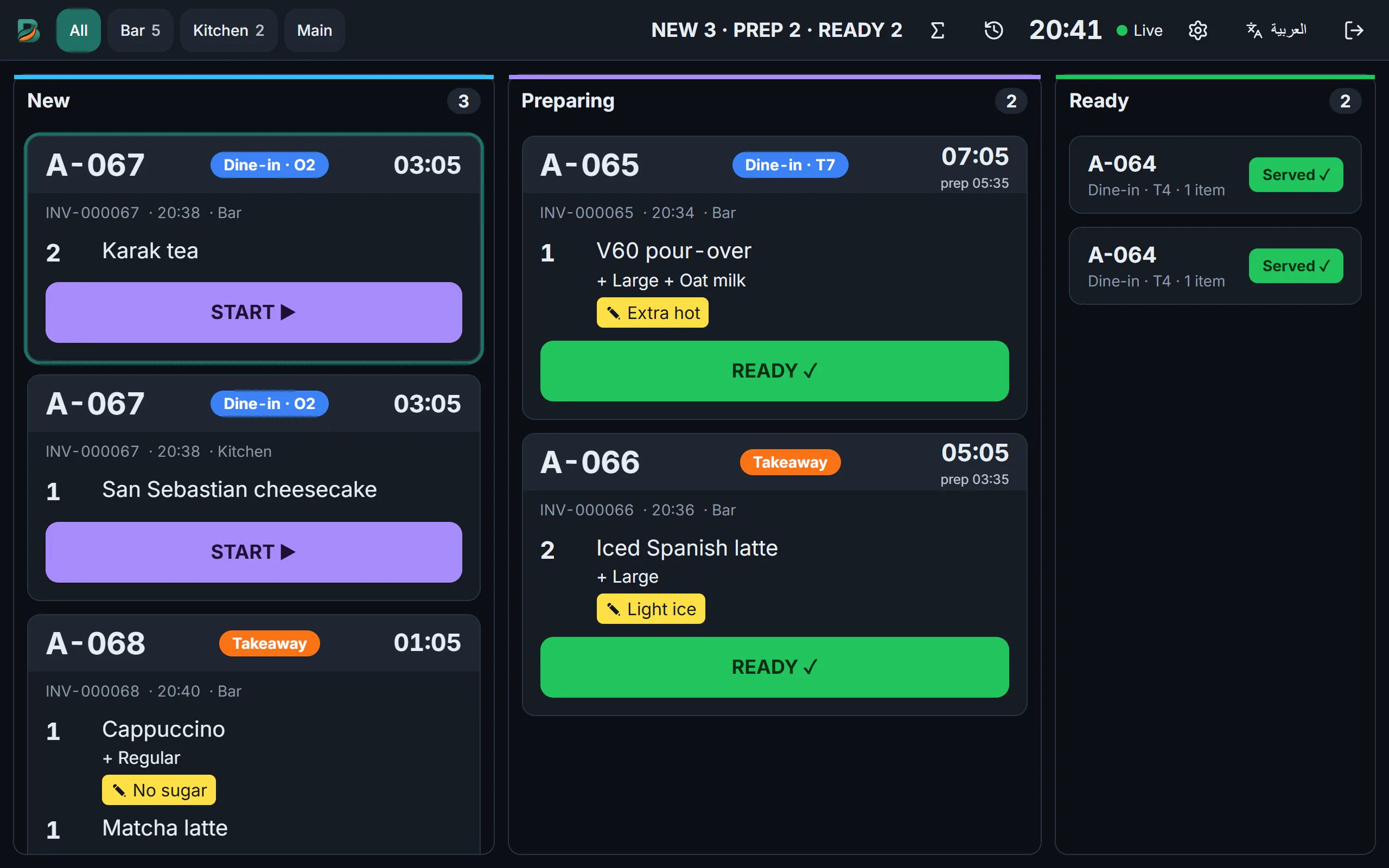
Kitchen
Orders reach the right station the moment they are paid.
- Kitchen tickets per station on thermal printers
- Live kitchen display screen with order status
- Voided items flagged so nothing is cooked by mistake
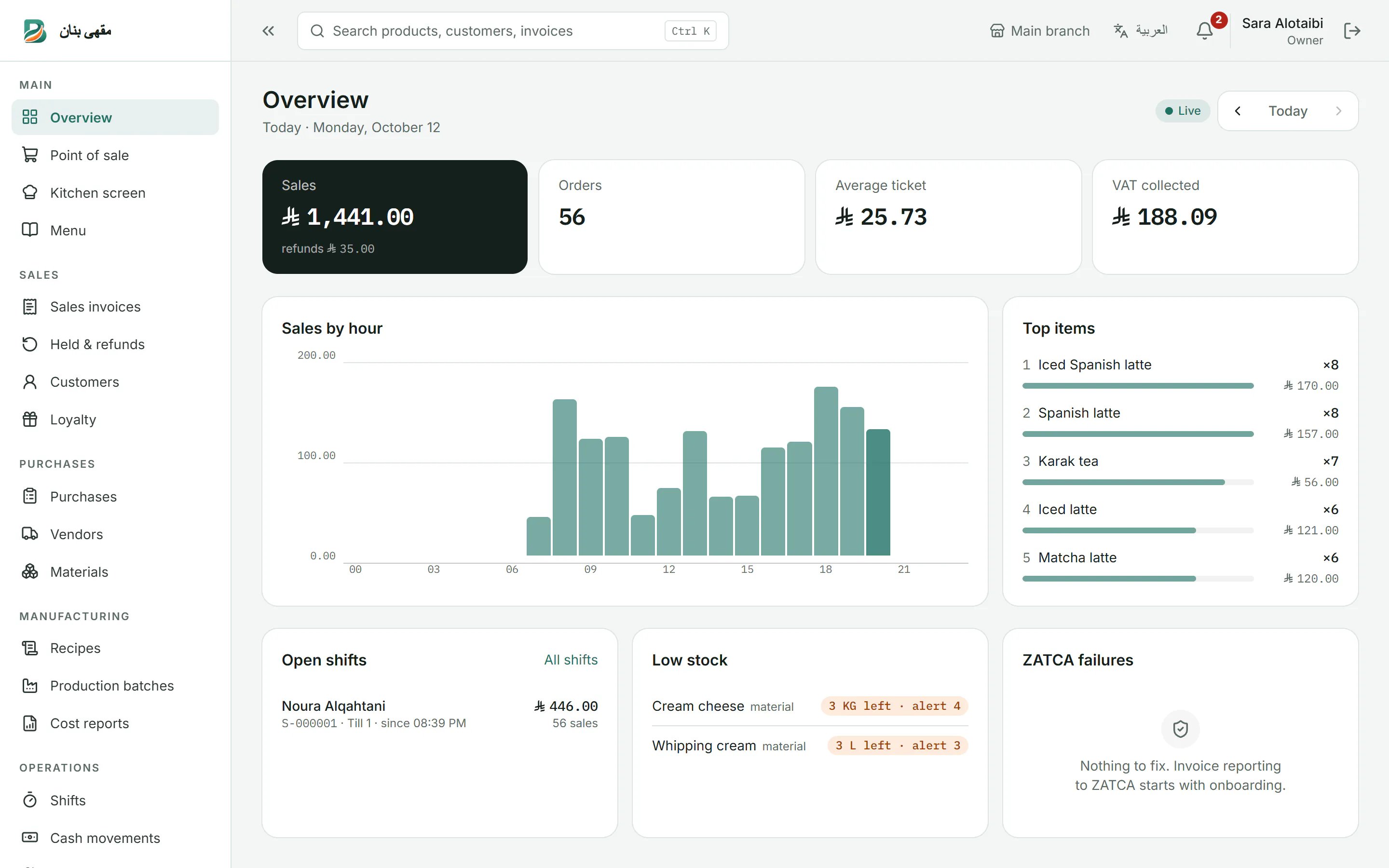
Reports
See how the business is doing, live.
- Live overview of today's sales by hour
- Top products and open shifts
- Cost and profit reports
Inventory and manufacturing
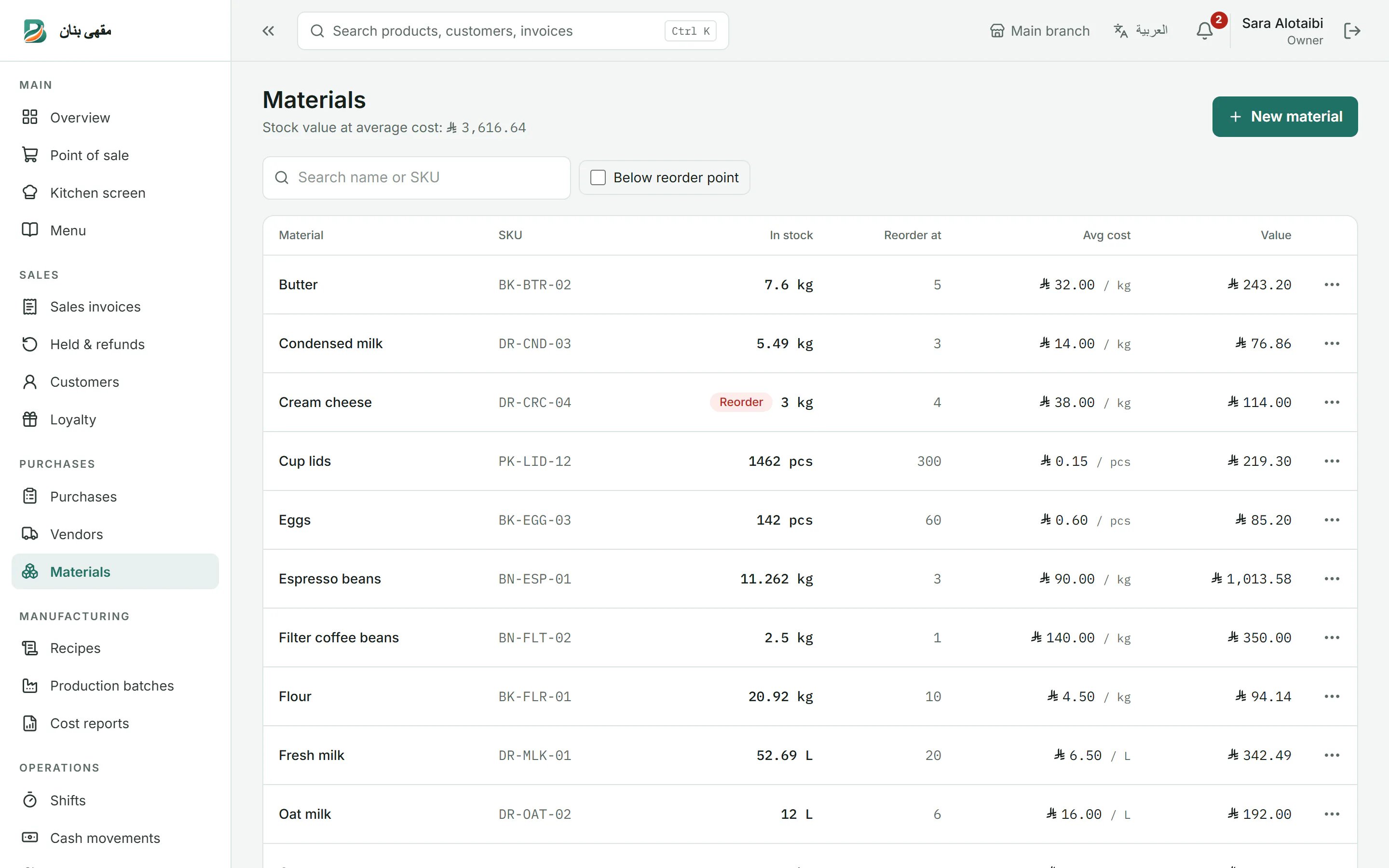
Know what you have and what every item really costs.
- Stock and raw materials with low-stock alerts
- Recipes and manufacturing with batches
- Purchases from vendors and cost reports
Customers, credit and loyalty
Reward regulars and sell on account with control.
- Customer accounts with credit limits
- Loyalty points earned and redeemed at the till
- Vendor balances and payments
Printing
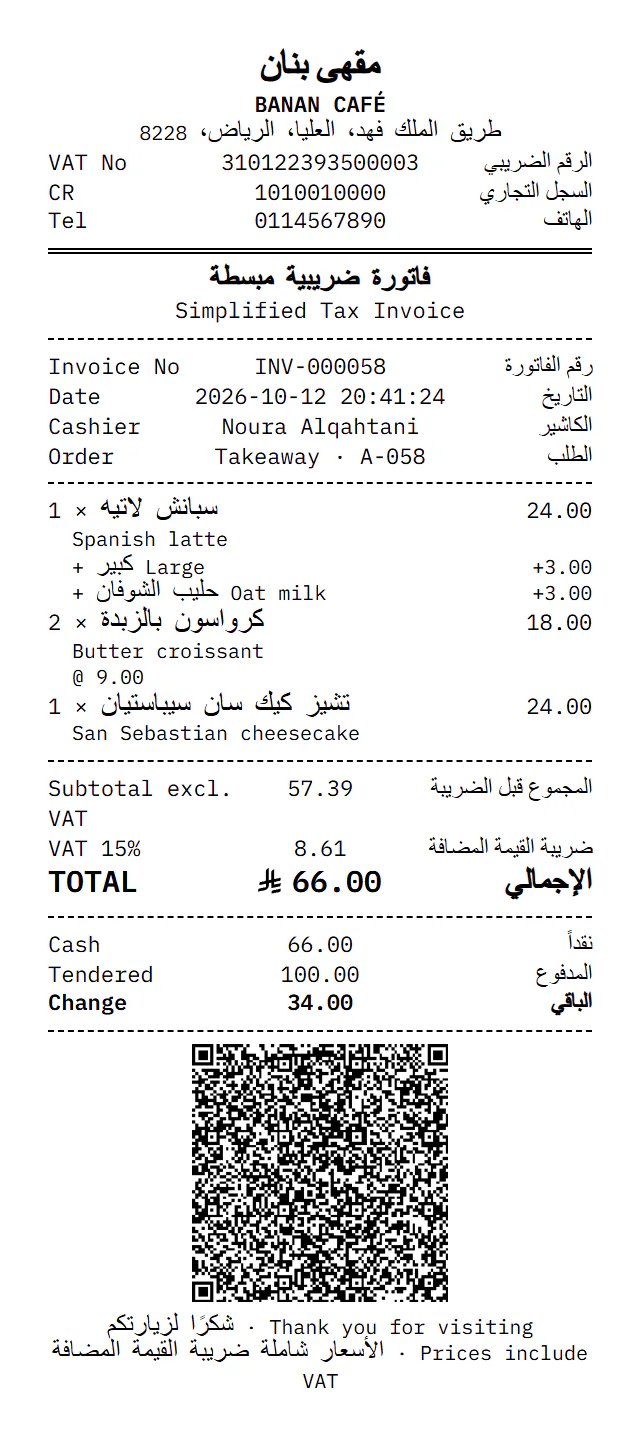
Arabic receipts that print clearly on thermal printers.
- Receipts with the ZATCA QR code
- Network and USB printers through the Banan Print Agent, or the browser
- Works offline, straight from the device
Also in every plan
Offline mode
A dropped connection never stops the queue.
- Sales saved safely on the device
- Automatic sync in the right order, never duplicated
- A clear badge shows what is still waiting to sync
Shifts and cash custody
Every riyal accounted for, shift by shift.
- Open and close shifts with counted cash
- Cash in and out with reasons
- Printed Z-report at closing
Team and permissions
Each person sees and does only what their role allows.
- Roles for owners, managers, cashiers and kitchen staff
- Quick PIN sign-in on shared devices
- Every change recorded in the audit log
Ready to see it at your counter?
Create your account in two minutes with just your mobile number. No card needed.
- No card needed
- Arabic & English
- Works offline