
Features
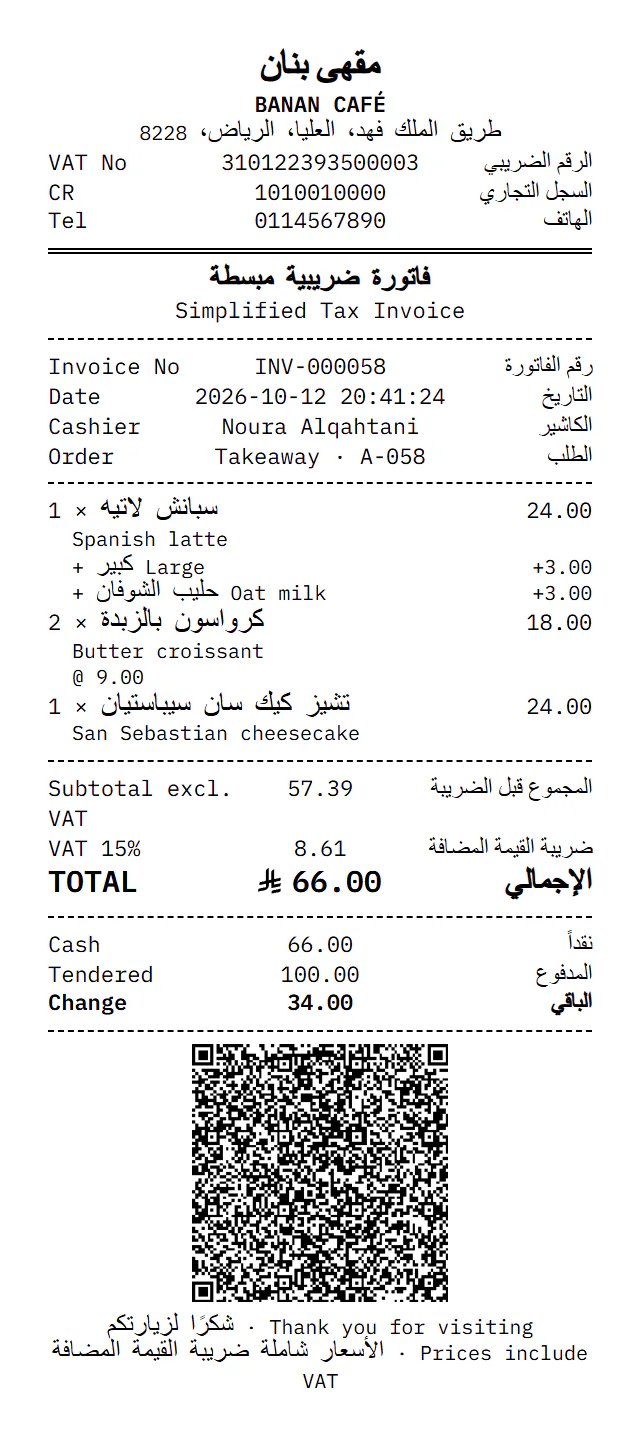
Clear Arabic receipts and invoices
Print on a thermal printer or any Windows printer in A4, with the e-invoicing QR code on every invoice.
80 and 58 mm thermal
Clear Arabic and English receipts, opening the cash drawer automatically.
A4 invoices
A right-to-left tax invoice on any Windows printer, or saved as PDF.
A small print agent
A light Windows program that prints to local and network printers without print dialogs.
ZATCA QR code
Every printed invoice carries a Phase 2 compliant QR code.
Frequently asked questions
Which printers are supported?
Thermal (ESC/POS) printers on the network or USB, and any Windows printer for A4 invoices.
Do I need to install anything?
Banan’s small print agent on one Windows PC prints silently; without it you can print from the browser dialog.
Can I reprint an invoice?
Yes, from the till or from sales invoices; it prints as a copy.
Helpful guides
How to choose a POS system for your restaurant in Saudi Arabia
A POS is more than a selling screen: it ties the floor to the kitchen, the stock and your tax invoices. These are the questions to ask before you choose.
6 min readE-invoicing Phase 2: a ZATCA integration guide for restaurants and cafés
Phase 2 of e-invoicing means your system connects to the Fatoora platform and sends your invoices to it. Here is what that means for your business in practice.
7 min readOpening a buffet or cafeteria: a point-of-sale checklist
A buffet sells a lot in small amounts, so every second at the till matters. Get these ready before day one.
4 min read
Ready to see it at your counter?
Create your account in two minutes with just your mobile number. No card needed.
- No card needed
- Arabic & English
- Works offline