
Buffet point of sale
A buffet POS: fast selling, stock under control
Sandwiches, juices, drinks and packaged snacks on one screen: sell with a tap or a barcode, stock deducted by the piece, and a ZATCA-compliant invoice.
What a buffet needs from its POS
Fast takeaway
Dozens of small orders an hour need a simple screen and instant payment.
Lots of packaged items
Soft drinks, water, crisps and wrapped sweets bought by the carton and sold by the piece.
Plenty of cash
Shifts with a cash count prevent differences and make responsibility clear.
E-invoicing
Even a small sale needs a simplified invoice with a QR code reported to ZATCA.
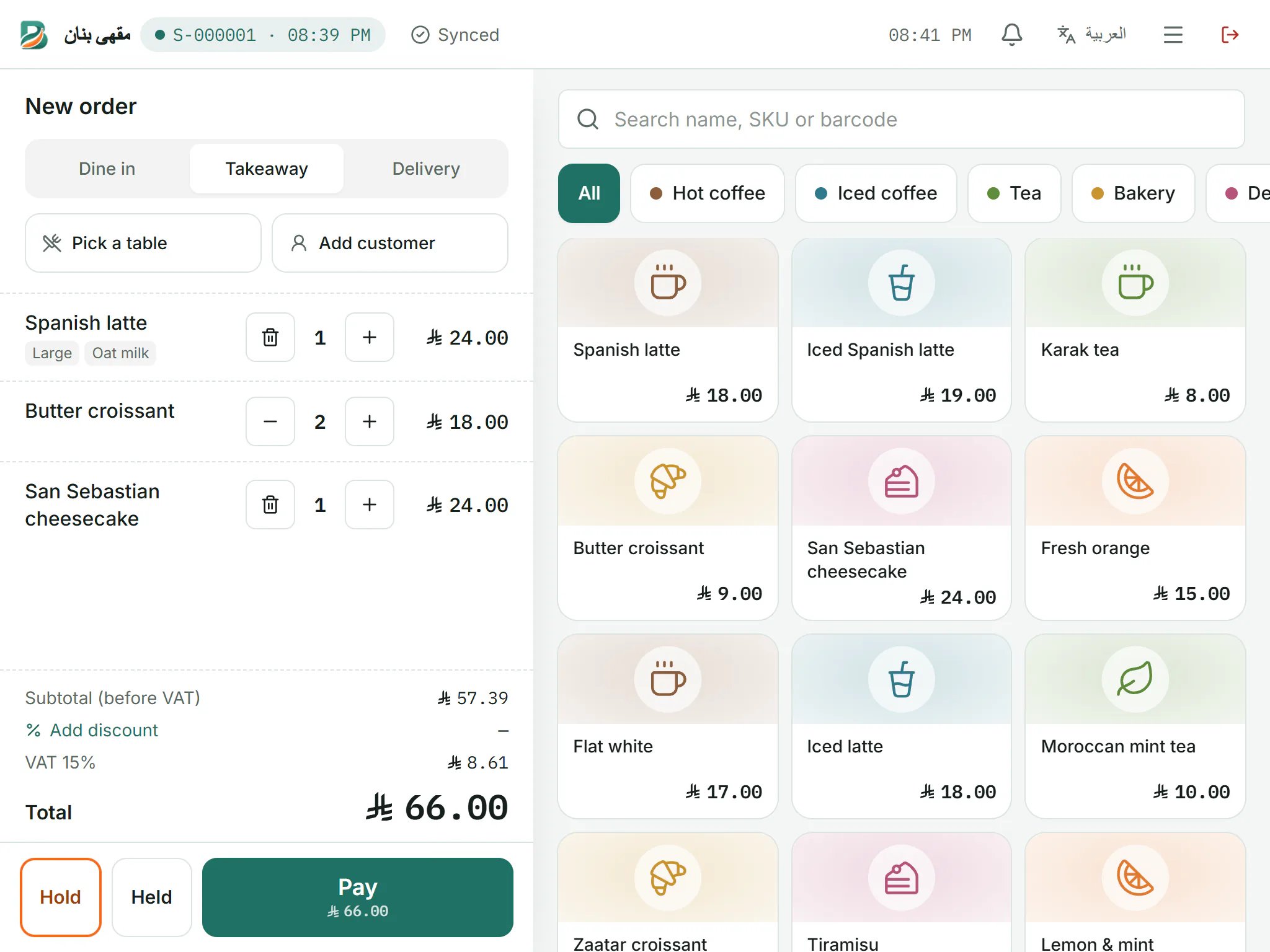
How Banan Soft works for your buffet
Point of sale
A simple takeaway screen; scanning a barcode adds the item, and change is worked out for you.
Learn morePurchases & vendors
Buy drinks by the carton (say 24) and stock rises by the piece at the right cost.
Learn moreInventory & recipes
Items switch off automatically when sold out; sandwich and juice recipes deduct their materials.
Learn moreShifts & cash
Open and close shifts with a cash count and a printed closing report.
Learn moreOffline selling
Selling continues offline and syncs automatically afterwards.
Learn morePrinting & receipts
A small thermal receipt with its QR code, opening the cash drawer automatically.
Learn more
Frequently asked questions
Does it sell by barcode?
Yes, scanning a barcode at the till adds the item at once; searching by item code works too.
How do I manage canned drinks?
Turn on stock tracking, buy by the carton with the pieces per carton, and stock is deducted with each sale and switched off when sold out.
Does it suit a small buffet with one till?
Yes, one device and a thermal printer are enough, at a monthly or yearly price per branch.
Do small amounts need an e-invoice?
Yes, every sale needs a simplified tax invoice; Banan Soft issues and reports it automatically.
Helpful guides
Opening a buffet or cafeteria: a point-of-sale checklist
A buffet sells a lot in small amounts, so every second at the till matters. Get these ready before day one.
4 min readCafé inventory: cutting coffee and milk waste
In a café, the difference between profit and loss hides in grams and millilitres. Here is a simple way to control it.
5 min readE-invoicing Phase 2: a ZATCA integration guide for restaurants and cafés
Phase 2 of e-invoicing means your system connects to the Fatoora platform and sends your invoices to it. Here is what that means for your business in practice.
7 min read
Ready to see it at your counter?
Create your account in two minutes with just your mobile number. No card needed.
- No card needed
- Arabic & English
- Works offline